A native desktop app for Mac and Windows, plus an Umbrel home-server install. Click the icon, the window
opens — live metrics, tuning recommendations, pool config. Other devices
on your LAN (phone, laptop, tablet) can reach the same dashboard at
bitaxe-baller.local. Runs locally; your data never
leaves your network.



Intel Mac? The .dmg is Apple-silicon only — run it with Docker instead →
Running a fleet? Bitaxe Baller Pro adds bulk tuning, auto-tune sweeps, 90 days of history, and Discord alerts. $29/yr $19/yr intro · 5 installs · unlimited miners · buy now →
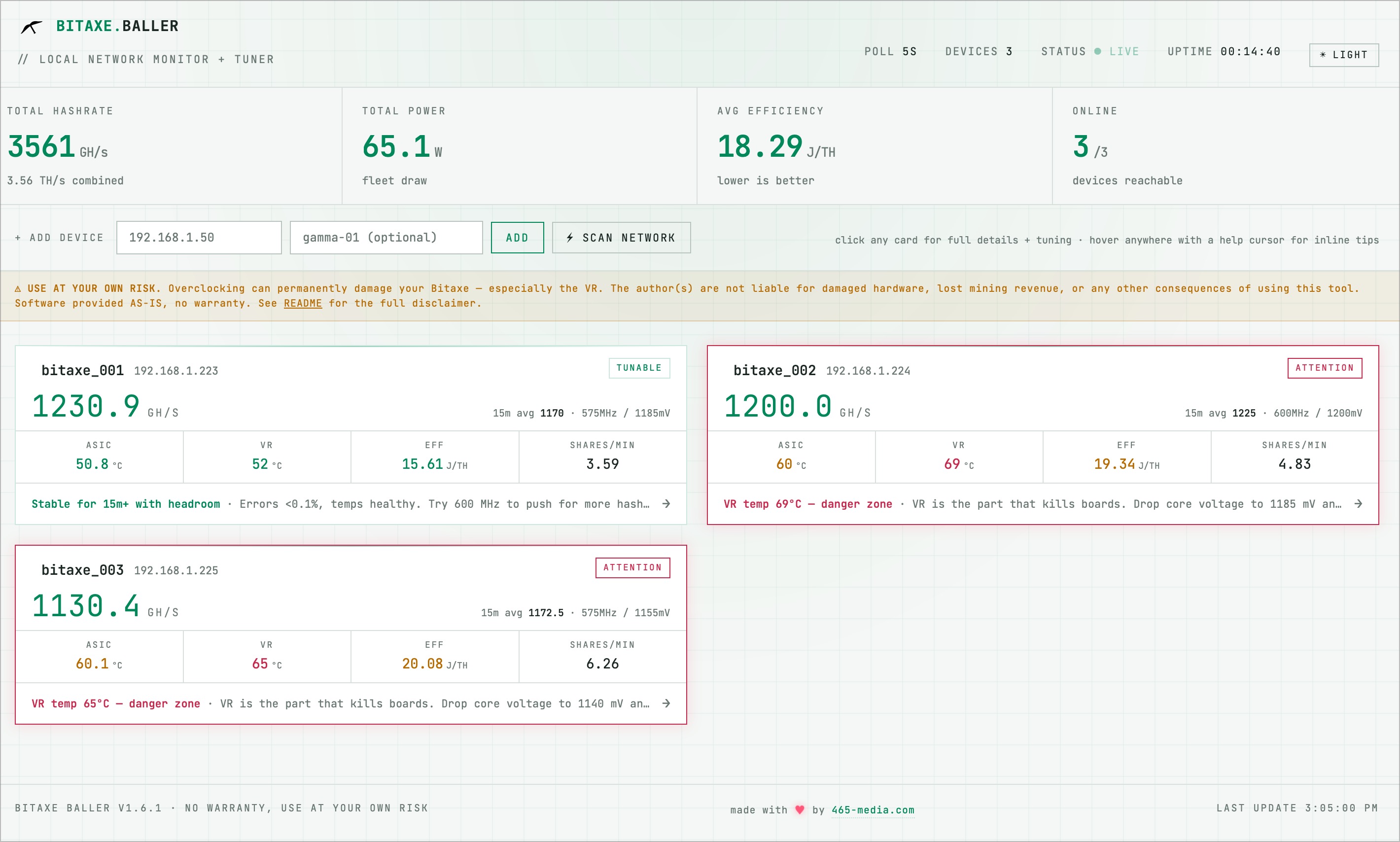
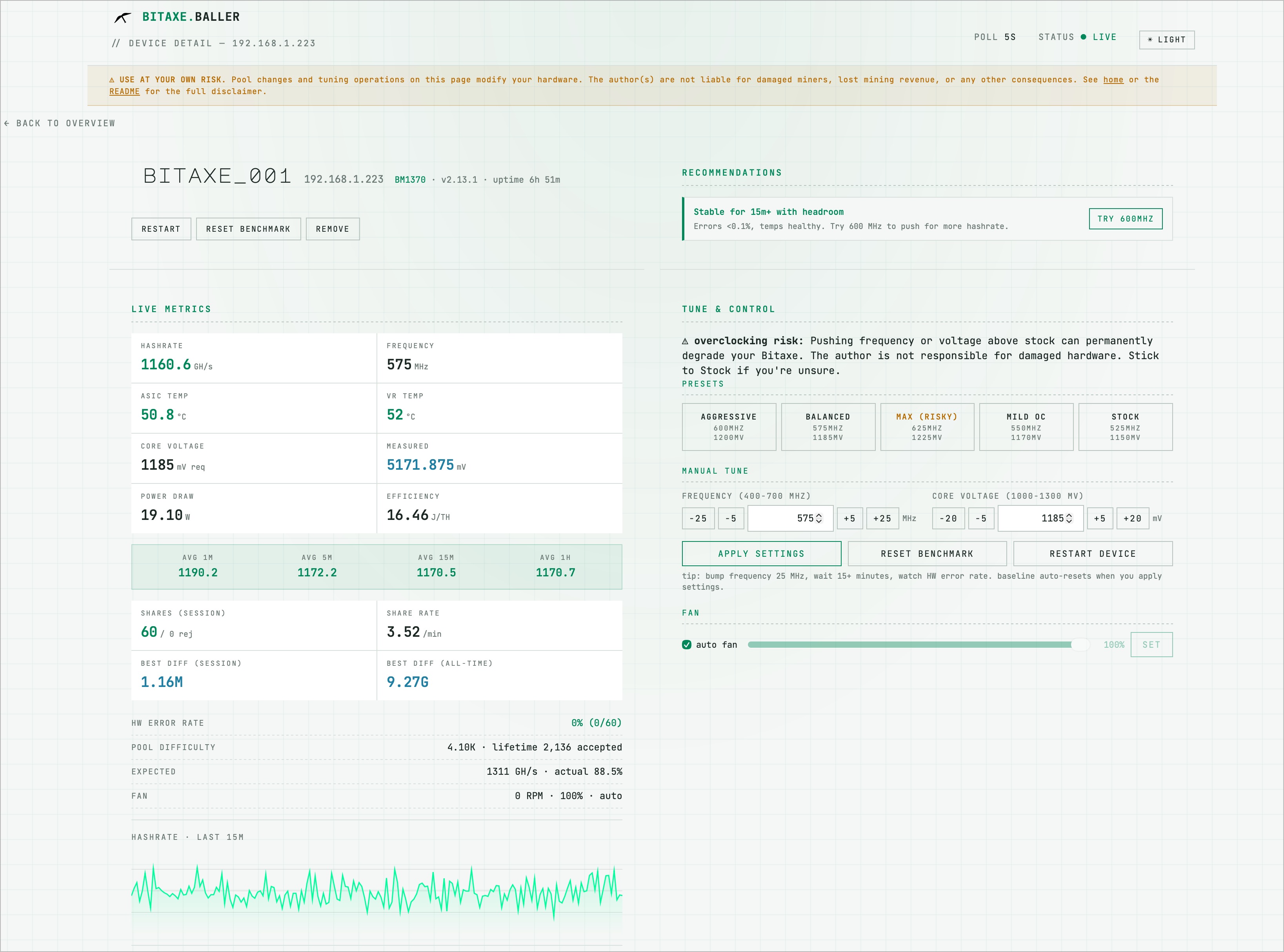
Hashrate, ASIC + VR temps, power draw, J/TH efficiency, hardware error rate, rolling averages over 1m / 5m / 15m / 1h. Updates every 5 seconds.
Color-coded card borders flag devices that need attention — red for crit, yellow for warn, green for tunable opportunities. Scan a fleet of 20 in seconds.
Rule-based engine analyzes the live telemetry and surfaces concrete tuning suggestions with one-click apply: "drop 10mV", "try +25 MHz", "reset benchmark".
Set your kWh rate once and see what your fleet costs to run — a per-day total on the home page, a running-cost line on every card, and a per-device monthly estimate. The answer to "what is this actually costing me?", right on the dashboard. Free.
Daily, monthly, and yearly "1 in X" odds of finding a block at your current hashrate, plus a log-scaled proximity bar showing how close your best share has gotten to the network target. Auto-detects six SHA-256d chains (BTC, BCH, BSV, XEC, DGB, NMC) from the pool URL.
Watch shares land in real time on the device page — accepted, rejected, "new personal best!" Fleet leaderboard widget on the dashboard ranks your devices by best-share. Pro users opt in to the public leaderboard with four categories so small miners and big miners both have a way to climb.
Stock, Mild OC, Balanced, Aggressive, Max — server-side bounds enforce safe ranges (400–700 MHz, 1000–1300 mV) regardless of input.
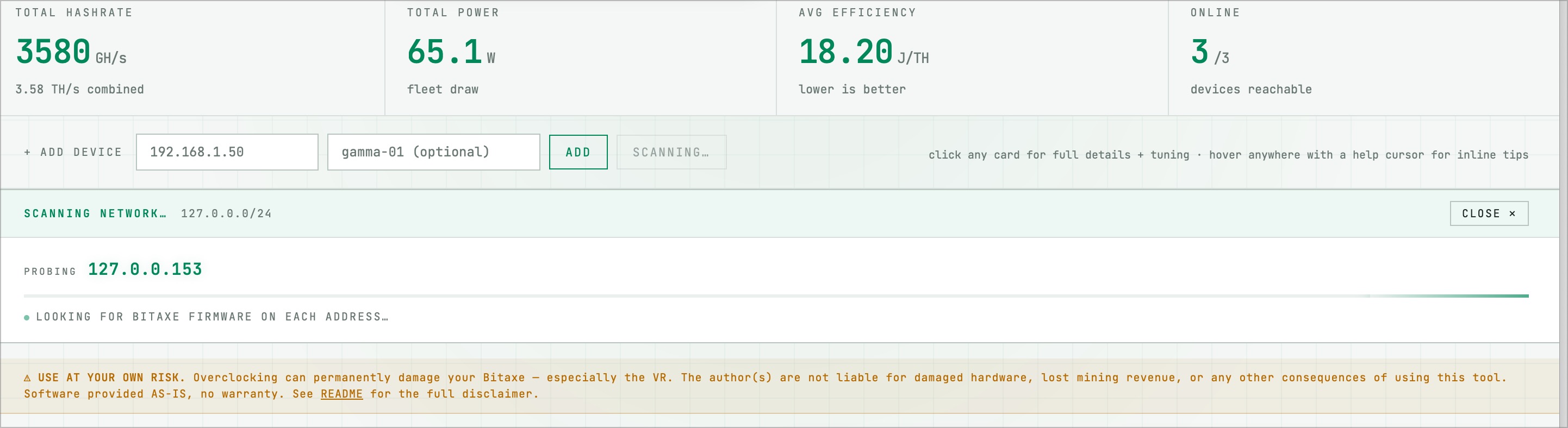
One click probes your /24 in parallel and finds every Bitaxe on your network. Already-added devices are skipped. ~6 seconds for a full subnet.
Edit primary and fallback stratum URLs, ports, workers, TLS, and suggested difficulty from the browser. Apply + restart in one click.
Auto-fan toggle and manual percentage slider per device. Pair with the temperature thresholds to keep your VR alive.
The desktop app opens a real window, no browser tab. Other devices on your network (phone, iPad, laptop) reach the same dashboard at bitaxe-baller.local via mDNS — the host has a clean native UI, the rest of the LAN gets a web URL.
Every poll is appended to a per-device daily CSV. Import into Excel or pandas to compare tuning settings across days or weeks.
New versions, BM1370 tuning insights, occasional Bitaxe news. Low volume, one-click unsubscribe, no tracking. Drop your email — that's it.
.dmg) or Windows (.exe installer) below..dmg, drag Bitaxe Baller to Applications, launch from Spotlight. Windows: run the installer (per-user, no admin), then launch from Start Menu. Either way, a native window opens with the dashboard — no browser tab, no terminal.scan network to auto-find every Bitaxe on your LAN.Prefer to run from source? Clone the GitHub repo and run python app.py — full instructions in the README.